Readability First
PUBG names are seen briefly — in kill notifications, squad lists, and the lobby — so a name that reads clearly at a glance tends to work better than one that requires decoding.
This matters more in PUBG than in slower-paced games because most of the moments your name is actually read are compressed into a second or two: a kill feed line that scrolls past, a squad list glanced at before a drop, or a spectator view after you're eliminated. A name built around a dense wall of lookalike characters can be legible when you have time to study it, but that's rarely the situation it's actually read in.
Short Names
A concise name is easier for squadmates to remember and reference quickly during a match. If your core idea is longer, consider whether a shorter version keeps the meaning while improving recall.
Length matters even more once a squad or clan tag is added in front of your name, since the two are read together as a single string. The table below is a rough guide to how much room a name realistically has once a tag is factored in.
| Tag style | Typical tag length | Comfortable name length |
|---|---|---|
| No tag (solo identity) | — | Up to 12–14 characters |
| Short bracket tag, e.g. [ABC] | 3–5 characters | 8–10 characters |
| Full clan word tag | 6–9 characters | 5–7 characters |
| Symbol-heavy tag | Varies — often wider on-screen than its character count suggests | 4–6 characters |
These aren't strict rules — they're a starting point for deciding how much of a name's length budget is actually available once a tag is in the picture.
Squad and Clan Tags
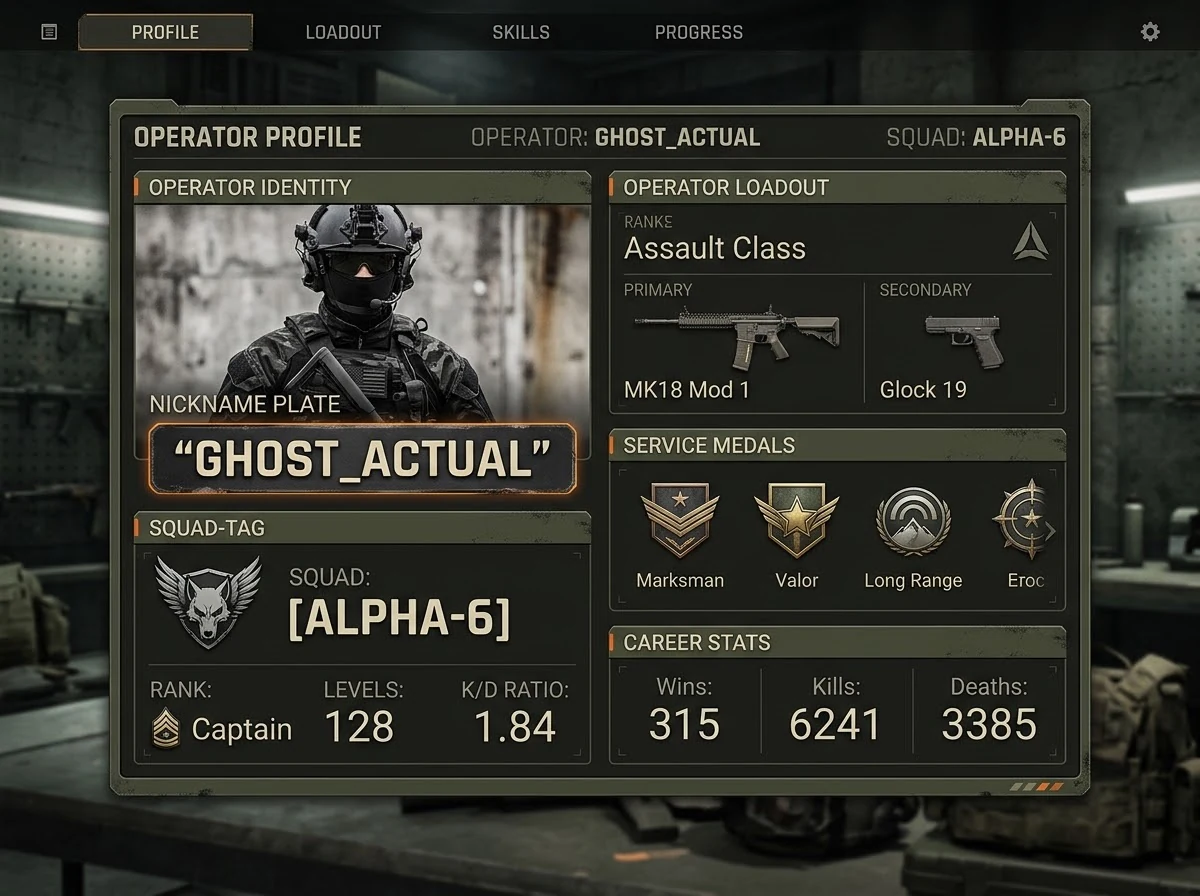
If you play regularly with a squad or clan, think about how your individual name will sit next to a shared tag. Leaving some visual breathing room makes the combined name easier to read than a name that is already fully decorated on its own.
It also helps to agree on tag placement and style as a group rather than each member deciding independently. A tag that's consistently placed — always in front, always the same brackets — reads as a unit faster than one where every squad member formats it slightly differently. If the group hasn't settled on a shared look yet, browsing options on our gaming names hub can help everyone land on a consistent style before individual names get locked in.
Using Symbols
A restrained symbol choice tends to age better than heavy decoration, both because it stays readable and because it is less likely to run into rendering issues across different devices.
PUBG is played across PC, console, and mobile, and not every platform renders the full range of Unicode symbols identically. A character that displays as a clean glyph on one device can show up as a blank box or a fallback character on another, which is one reason a small, well-chosen symbol set tends to outperform a long decorative string.
- Do test your name at the actual small size it appears at in a kill feed or squad list before committing to it.
- Don't stack multiple decorative symbols back-to-back purely for length — each additional mark makes the core name harder to parse.
- Do leave a visual gap between your name and a clan or squad tag rather than letting the two run together.
- Don't assume a symbol combination renders identically on every device — see our Unicode symbols guide for why this varies.
- Do keep a plain-text backup of your name saved somewhere, so you can revert quickly if a symbol combination stops rendering correctly after a game update.
Matching a Name to How You Actually Play
How you actually play PUBG most of the time is a better guide to naming than personal taste alone. Three common situations call for slightly different priorities.
Fixed squad or clan play
If you mostly play with the same squad, a name that pairs cleanly with a shared clan tag matters more than raw individuality. Your teammates already know who you are, so the name's job is mostly to sit well next to the tag and stay legible in the squad list — not to stand out on its own.
Solo and random-squad play
If you mostly play solo or get matched with random teammates, a name that's easy for strangers to read and remember in the moment matters more than decoration. There's no shared context to fall back on, so a name that's misread or skipped over in a kill feed loses more value here than it would in a fixed squad.
Streaming or content creation
If your matches are recorded or streamed, your name is also being read by an audience with no in-game context at all, often on a clip where it's shown for only a moment. A name that's clear on a static screenshot usually wins out over one that leans on symbol combinations a viewer won't have time to parse.
None of these approaches is more "correct" — they solve different problems, and it's worth deciding which one applies to how you actually play before choosing a style. It also helps to decide up front whether you want a name that works only for PUBG, or one you'll carry across other games. See choosing a gaming name that works everywhere if you're weighing that trade-off, or our Free Fire guide if you split time between both games.
Identity Consistency
If you also play other games, decide whether you want one consistent identity across all of them or a name tailored specifically to PUBG. Both are reasonable choices — the key is deciding intentionally rather than ending up with a different, unconnected name on each platform by accident.
A quick way to check this is to write your current name down alongside any other gaming or social handles you use and see whether they look like they belong to the same person. If they don't, that's not necessarily a problem — it just means the split was probably accidental rather than a deliberate choice, and it's worth confirming that's actually what you want.
Practical Examples
You can preview real PUBG-styled name examples using NickFinder’s PUBG name page, which renders styles directly rather than just describing them.
Testing a few candidates there against the length budgeting and symbol guidance above is usually faster and more reliable than trying to judge a name purely by imagining how it will look in-game.
Checklist
- Read the name at actual in-game size
- Keep symbol use restrained and deliberate
- Leave room for a squad or clan tag if relevant
- Check how the name displays after a shared clan tag is added, not just on its own
- Keep a plain-text fallback saved in case a symbol stops rendering after a game update
- Decide intentionally whether this name is PUBG-specific or a cross-game identity
Frequently Asked Questions
Does a shorter PUBG name work better?
Generally yes for recall in a fast-moving match — a concise name is easier for squadmates to remember and reference quickly during kill notifications or lobby lists.
Why does my PUBG name look different on another device?
PUBG is played across PC, console, and mobile, and not every platform renders the full range of Unicode symbols identically — a character that shows as a clean glyph on one device can appear as a blank box or fallback character on another. Keeping the symbol set small and testing on more than one device helps avoid this.
Should my name match my squad or clan tag?
If you play regularly with a squad, it's worth thinking about how your individual name will sit next to a shared tag, since a name already dense with symbols can look cluttered once a tag is added.
Generate real PUBG-styled names instantly, or browse symbol options directly.